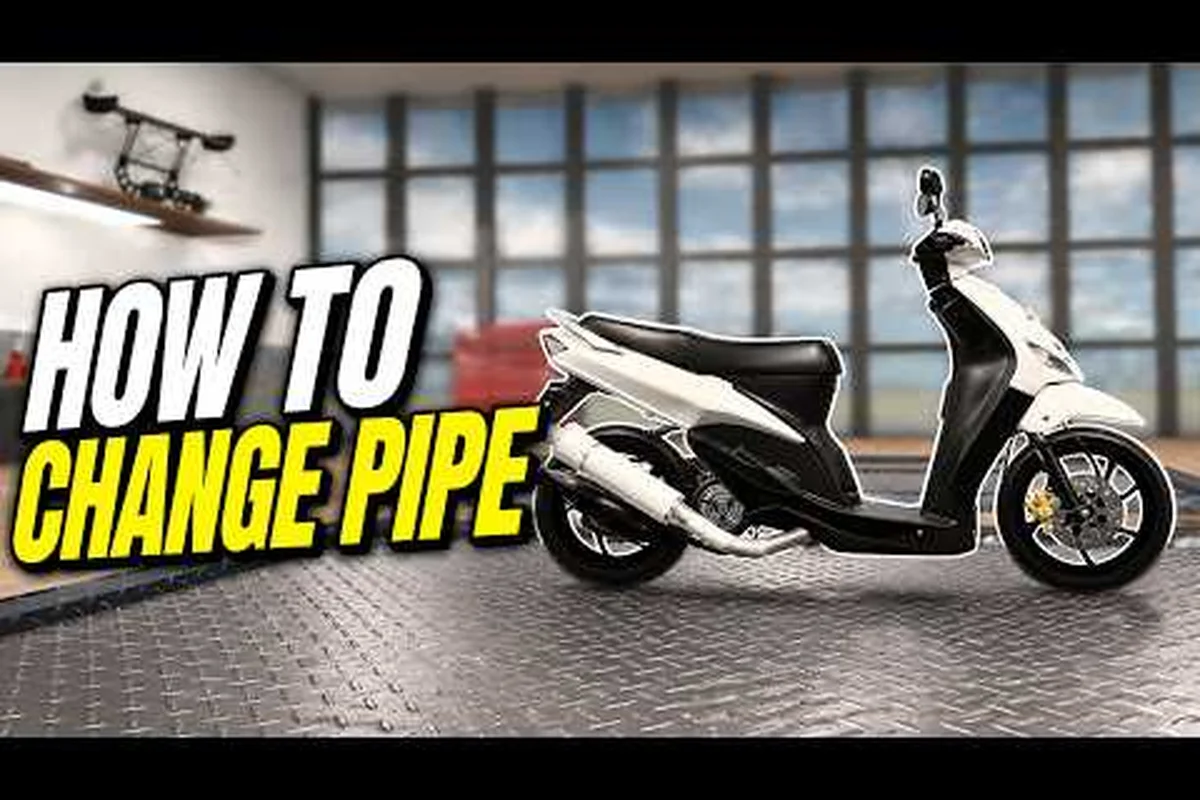
The Drag Drive Simulator pipe upgrade is more than a rear-end swap — it is the single slot where you can layer DRL color, indicator type, and signal flash rate into one cohesive identity. Players who treat the exhaust as a styling afterthought miss the chance to broadcast lane intent during night races and merge onto Indonesian-inspired highways with a signature glow. According to the official Drag Drive Simulator Roblox page, the customization layer has grown with every seasonal patch, which is why dialing in the right DRL-and-indicator combo now reads as a competitive edge in roleplay scenes. This guide walks through every toggle tied to the pipe slot, from selecting a DRL type to tuning your indicator flash rate so your car speaks clearly at 200 km/h.
What the Pipe Upgrade Slot Carries
The pipe upgrade lives inside the same mod menu where you swap mufflers, swap tips, and bolt on resonators, but it is unique because it carries the DRL and indicator sub-menus on top of the visual mesh. Opening the customization garage (found in the Vehicle Show area described in the Drag Drive Simulator free upgrades guide) reveals the pipe slot on the lower right of the mod grid. Tapping that tile expands three nested tabs: Pipe Style, DRL Layer, and Signal Layer. The latter two are the focus of this article because they govern the light behavior that other drivers actually see at night.
How the Slot Differs from Standard Exhaust Mods
Most exhaust parts only change geometry and audio, but the pipe upgrade also accepts a programmable DRL strip and an indicator relay. That dual function is why community guides separate "exhaust cosmetics" from "pipe electronics" — one is static art, the other is dynamic communication. When the ADV Gamers Team pushed the RDID Revamp update, the indicator relay was decoupled from the headlight cluster, which means your pipe can flash even when the headlights are off. This change gave riders a reason to choose a custom DRL color that reads well in daylight without colliding with the front DRL.
Why the Pipe Slot Matters for Roleplay and Drag Runs
During a 1/4-mile pull, the rear of your car is the only thing your opponent watches. A pipe upgrade with a clean amber signal and a tight DRL pulse helps telegraph every shift, while a sluggish flash rate can make your launch look hesitant in replays. The same logic applies to RideGO rideshare gigs: passengers cruising in the back seat notice indicator behavior far more than steering feel. Treating the pipe as a signaling device instead of a cosmetic tail tidy turns every job into a cleaner handoff and every race into a more legible pass.
Picking the Right DRL Lights for Your Pipe
DRL stands for Daytime Running Light, and in Drag Drive Simulator it refers to the slim light strip embedded along the upper edge of the exhaust tip. The DRL runs whenever the car is on, regardless of headlight state, which makes it the most persistent light signature on the vehicle. Choosing the right Drag Drive Simulator DRL lights is therefore the foundation of any pipe customization plan.
DRL Type Comparison
The current build offers four DRL types — Steady Bar, Pulse Wave, Strobe Edge, and Fade Sweep — each tuned for a different visual mood and visibility profile, and the table below breaks them down across visual profile, best use case, and night visibility so you can match the strip's flash rhythm to your driving style, whether you're lining up at the drag staging lights in a Strobe Edge setup or running a Fade Sweep for cinematic photo-mode reels.
| DRL Type | Visual Profile | Best Use Case | Visibility at Night | Color Lock |
|---|---|---|---|---|
| Steady Bar | Solid horizontal line | Clean street builds, Barista job drop-offs | High | No |
| Pulse Wave | Slow horizontal chase | Cruise roleplay, convoy formation | Medium | No |
| Strobe Edge | Sharp 1 Hz blink | Drag staging, attention-grabber | Very high | No |
| Fade Sweep | Smooth brightness ramp | Cinematic reels, photo mode | Medium-low | No |
All four DRL types — Steady Bar, Pulse Wave, Strobe Edge, and Fade Sweep — accept any color on the full DRL color wheel, so the table's "Color Lock" column reads "No" across the board; this matters for drag drive simulator pipe upgrade builds because you can pair a cool white Steady Bar with a hot magenta Strobe Edge at the staging beams, or run a Fade Sweep in deep cyan over a Pulse Wave in amber, since color is applied per-strip rather than locked to the flash rhythm itself.
Best DRL Color Pairings for Each Type
Color choice is where most riders either lock in a signature look or end up with a washed-out mess. Based on community data collected from the Radex Tips exhaust tutorial, the highest-rated pairings in 2026 favor saturated hues on steady patterns and softer tones on moving patterns.
-
Steady Bar + Pure White — reads as a premium OEM strip; ideal for SUV and sedan roleplay.
-
Pulse Wave + Ice Blue — the chasing effect stays legible without feeling like a club light.
-
Strobe Edge + Amber — the warm color softens the strobe and prevents seizure-like flicker complaints during long convoys.
-
Fade Sweep + Deep Red — produces a tail-light halo that pairs with the indicator layer without competing for attention.
If you want to push further, community testing notes that pairing a Fade Sweep with a neon green DRL color creates a racing-game "nitro" silhouette, but it is a niche look that does not photograph well in foggy city scenes.
Configuring Drag Drive Simulator Indicator Lights on the Pipe
Indicators on the pipe slot are separate from the front and rear turn signals, which is the most common source of confusion for first-time customizers. The pipe indicator is an auxiliary relay that pulses on the same beat as your primary turn signal, giving other drivers a redundant cue at low angles. The vehicle customization guide walks through where each signal layer sits on the car body, so we will stay focused on the pipe-specific behavior here.
Signal Light Type and Coverage
There are three Drag Drive Simulator signal light behaviors you can assign to the pipe, each tied to a different DRL type you selected earlier in the upgrade menu and routing the indicator flash rate through a distinct coverage zone on the front fascia. Choosing between them is essentially a trade-off between visual aggression (Tip Ring), full-width communication (Strip Mirror), and a custom signature pulse (Independent) that can be desynchronized from the main turn signal entirely. The right pick depends on whether your Drag Drive Simulator pipe upgrade is built for staged intimidation, roleplay immersion, or a tuned color-matched DRL setup.
| Signal Type | Coverage Zone | Flash Pattern | Conflict With DRL |
|---|---|---|---|
| Tip Ring | Outermost 2 cm of tip | Mirrors main turn signal | None |
| Strip Mirror | Full DRL strip blinks on turn | Mirrors main turn signal | Mild — DRL dims during blink |
| Independent | Pulse at custom rate | Independent of main signal | None if DRL color differs |
The Strip Mirror mode is the most aggressive option because it briefly kills the DRL every time the indicator fires. For drag racing, this can be a tactical advantage: when you stage at the line, a hard blink tells the opponent your hand is on the shifter. For roleplay work, however, it is distracting to passengers and reads as broken electronics.
Setting the Indicator Flash Rate
The indicator flash rate is measured in hertz and is the single value that most defines how "alive" your pipe looks. Drag Drive Simulator exposes five presets plus a custom slider that ranges from 0.5 Hz to 4 Hz.
| Flash Rate | Real-World Equivalent | Best For | Drawback |
|---|---|---|---|
| 0.5 Hz | Heavy truck flasher | Cinematic convoy, photos | Slow to read in traffic |
| 1.0 Hz | Standard OEM car | Daily roleplay, RideGO | None significant |
| 1.5 Hz | Sport compact | Drag staging | Slightly aggressive |
| 2.0 Hz | Emergency vehicle | Stunt clips only | Can clip with main turn signal |
| 3.0+ Hz | Strobe-only | Off-road, rallies | Can trigger motion sickness |
The default 1.0 Hz preset works for 80% of players, but riders who run a Steady Bar DRL often bump up to 1.5 Hz so the pipe does not feel static between turns. Conversely, riders running a Pulse Wave DRL tend to drop to 0.5 Hz on the indicator to keep the two animations from fighting each other visually.
Building a Cohesive DRL + Indicator Combo
The strongest pipe upgrades combine a DRL type, a DRL color, a signal mode, and a flash rate into one theme. Rather than tweaking each slider in isolation, it helps to pick a "mood" first and then commit every layer to that mood. The presets below are pulled from the most-built pipe configurations in the community scene.
Three Preset Builds Worth Copying
| Preset Name | DRL Type | DRL Color | Signal Type | Flash Rate | Mood |
|---|---|---|---|---|---|
| Street Sleeper | Steady Bar | Pure White | Tip Ring | 1.0 Hz | OEM-clean, daily driver |
| Race Ready | Strobe Edge | Amber | Strip Mirror | 1.5 Hz | Aggressive, drag-focused |
| Neon Cruiser | Pulse Wave | Ice Blue | Independent | 1.0 Hz | Night-time convoy hero |
Each preset costs only in-game currency, so you can save all three and swap between them depending on the gig. Riders running the Barista or Police job tracks report that the Street Sleeper preset earns the most positive passenger feedback, while the Race Ready preset tends to score bonus respect points at the drag strip.
Avoiding Common Combo Mistakes
The two most common mistakes are running a high-frequency indicator over a moving DRL, and pairing two warm colors that fight for the same spectrum. If your DRL is amber, keep the indicator on Tip Ring rather than Strip Mirror so the two amber sources do not strobe together and create a flicker halo. If your DRL is ice blue, avoid white indicators because the human eye reads the white as a flash error rather than a clean signal.
A second mistake is over-tuning the flash rate slider into the custom 3+ Hz range just to feel unique. Community testing shows that anything above 2.5 Hz starts to lose readability because the human visual system stops resolving individual blinks and perceives a steady glow. Stick to the preset list unless you have a specific aesthetic reason to go custom.
Saving, Previewing, and Sharing Your Pipe Setup
Once you have locked in your DRL type, DRL color, signal type, and flash rate, the mod menu lets you save the entire build under a named preset. Drag Drive Simulator supports up to five saved pipe presets per vehicle, which means a single garage slot can carry the Street Sleeper, Race Ready, and Neon Cruiser builds above with two slots to spare for experimental combinations. Preview mode is unlocked by holding the test-fire button for two seconds; the car will sit idle while the DRL cycles and the indicators pulse at your chosen rate so you can judge the look before committing to a server.
Players who want community feedback can capture a five-second clip in preview mode and share it on the ADV Gamers Team community board. Most creators tag their posts with the DRL color and flash rate so other riders can replicate the look without guessing the exact values. For a deeper dive into how the pipe slot interacts with the rest of the visual layer — headlight color, neon underglow, paint, and wrap — the Drag Drive Simulator turn signal customization article covers the front and side light stacks in detail.
Frequently Asked Questions
What is the fastest way to unlock the pipe upgrade slot?
You unlock the pipe upgrade slot automatically after completing the first Barista job gig, which is part of the new-player progression arc described in the Drag Drive Simulator beginner guide. No Robux purchase is required, and the slot stays unlocked across all owned vehicles.
Which Drag Drive Simulator DRL color reads best during day races?
Pure white and amber are the strongest daytime DRL choices because they sit highest on the visibility curve. Saturated colors like ice blue and neon green are still visible but tend to wash out in bright lobby scenes where multiple cars sit side by side. If you primarily race during peak hours, default to a white or amber DRL color and reserve neon for night sessions.
Can I sync my pipe indicators with my headlights?
Yes, by selecting Strip Mirror under the signal type. This mode makes the DRL strip blink in time with the main turn signal, which is the closest thing to a "sync everything" preset. If you want the pipe to flash on a different beat, switch to Independent mode and set a custom flash rate so the two layers stay rhythmically distinct.
Does the indicator flash rate affect performance?
No, the flash rate is a purely visual setting with no impact on acceleration, top speed, or handling. You can run a 3 Hz indicator on a tuned drag car without losing any time slips. The only practical consideration is motion sickness for passengers in roleplay scenes, so cap yourself at 2 Hz if you regularly run RideGO or Police jobs.
How do I reset my pipe DRL back to default?
Open the mod menu, select the pipe slot, then hold the reset button for three seconds. This clears the DRL type, DRL color, signal type, and flash rate back to the factory Steady Bar + White + Tip Ring + 1.0 Hz configuration. The reset is free and does not consume any saved preset slots, so you can experiment freely without losing your custom builds.